 MacWorks with Claude, Cursor and more
Stop making invoices.
Start asking for them.
Invoicewell is a Mac app for invoices and quotes. Tell your AI assistant who to bill: it asks only what's missing, checks what the law needs, and has the invoice ready for you to send.
One-time purchase. For macOS 14 or later, on Apple silicon and Intel.
An example with made-up clients. The questions are the ones Invoicewell really asks, and the sums are worked out live.
Set it up once.
Then just ask.
Connect your assistant
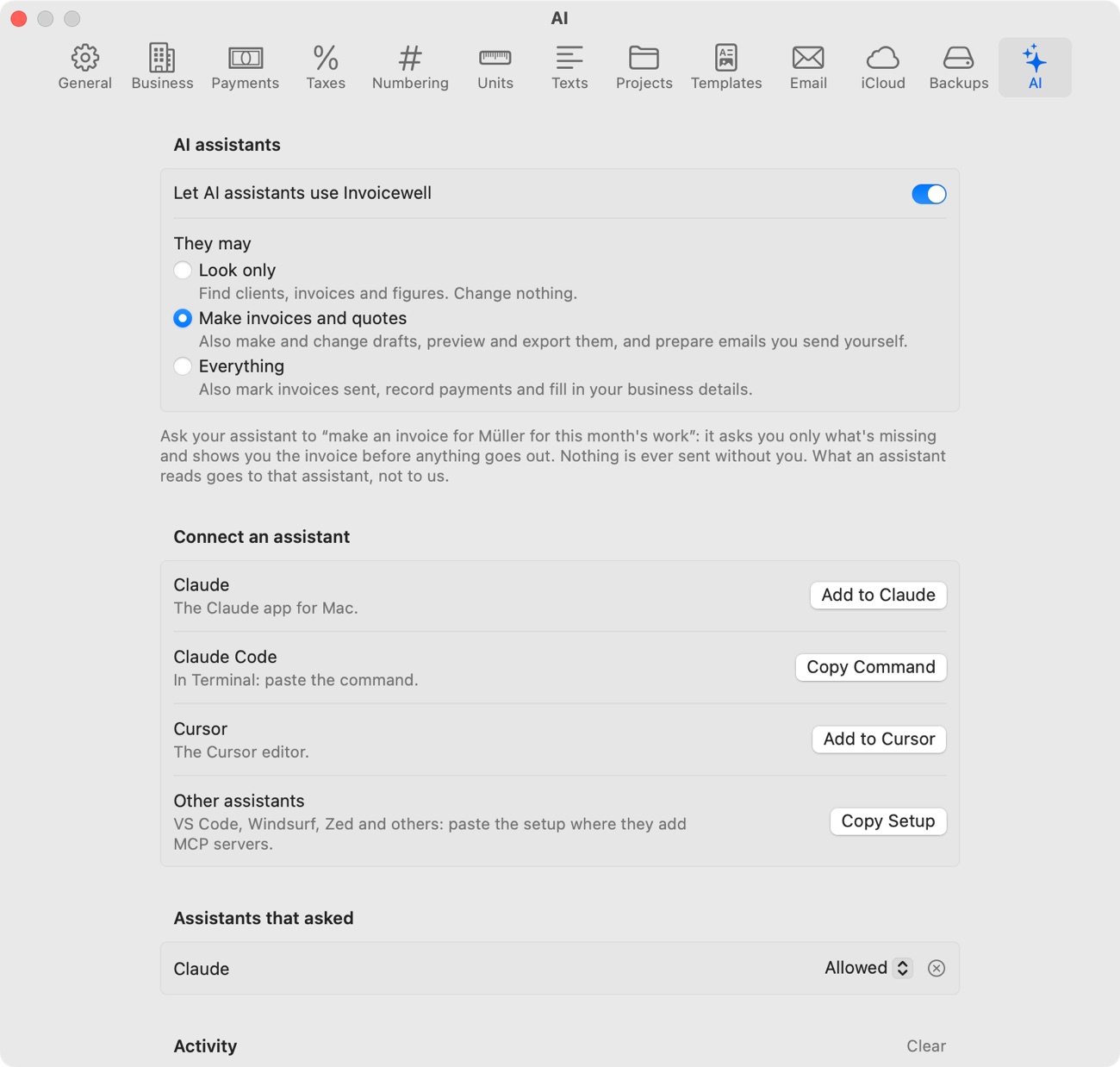
Turn it on in Settings and click Add to Claude. Invoicewell asks you once before each new assistant gets in.
Say what you want
“Invoice Müller for this month's work.” Your assistant finds the client, the hours you tracked and your usual terms.
Check it and send it
You see the real invoice, not a rough draft. When you say so, the email opens in Invoicewell for you to send.
You decide how far it goes.
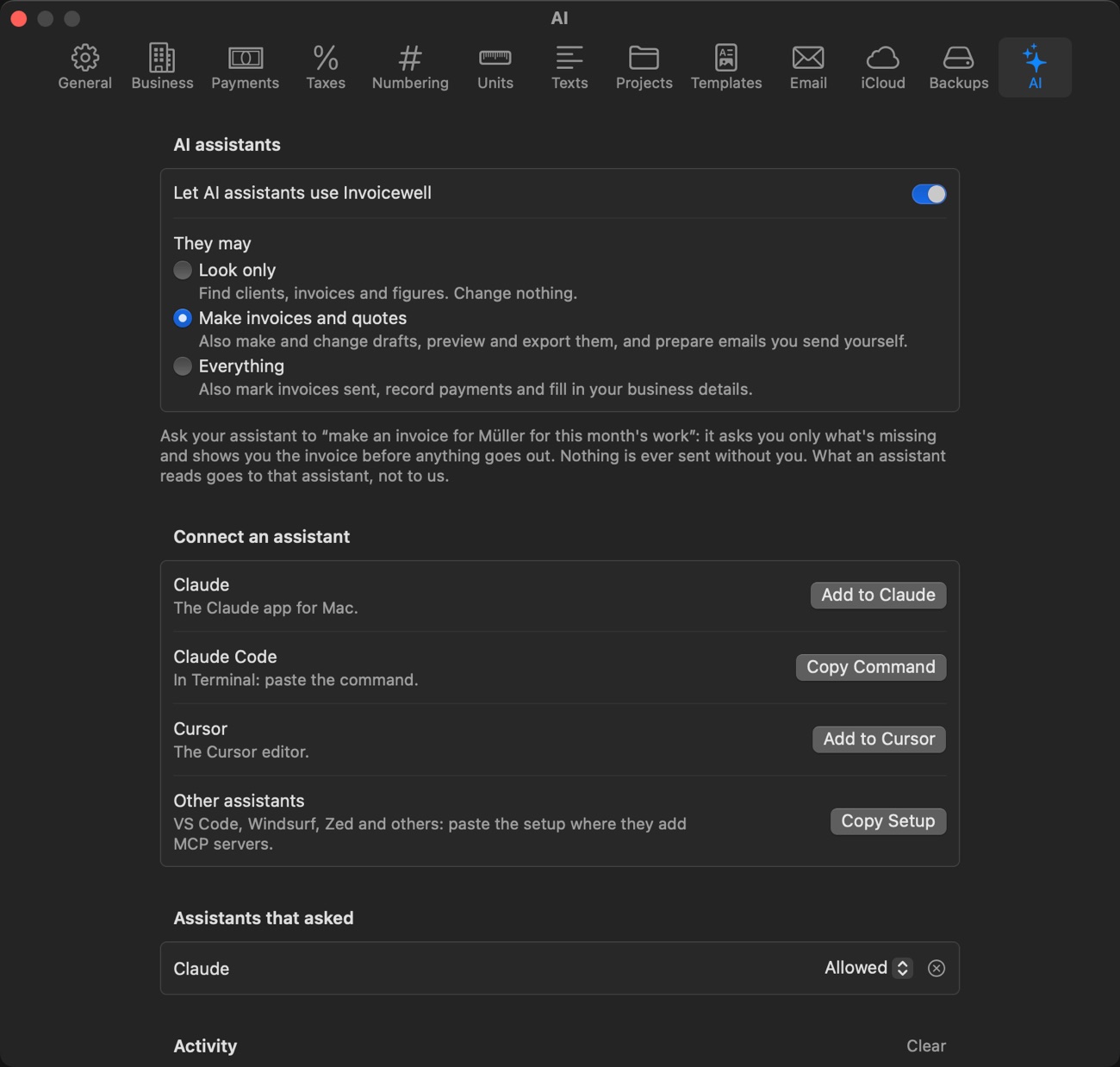
Let an assistant only look, let it make invoices and quotes, or let it also mark them sent and record payments. Everything it does shows in an activity list, with Undo for its drafts.
It asks, but only what it can't know.
Invoicewell decides what is still missing, not the assistant. So every assistant asks the same few good questions, and fills in the rest.
Filled in for you
- Your name, address and tax numberSet once
- The next invoice numberAutomatic
- The client's address and languageFrom the client
- Payment terms and due dateFrom the client
- CurrencyFrom the client
- The hours you trackedFrom Time
- Service periodFrom those hours
- Tax rateYour usual rate
Asked only when needed
- Which client?If two names match
- What are you billing?If you didn't say
- What's the price?If it isn't saved
- When was the work done?Germany and Austria
- What's the client's address?If it's missing
- Use reverse charge?EU business abroad
- What's their VAT ID?EU client without one
- Leave out VAT?Business outside the EU
It won't call an invoice ready until it is.
Before anything goes out, Invoicewell checks what the invoice must show. Try it: tick and untick the boxes, or drag the total under €250.
For a sole trader in Germany. Invoicewell knows common EU and German rules. A helpful check, not legal advice.
A complete invoice app,
with or without AI.
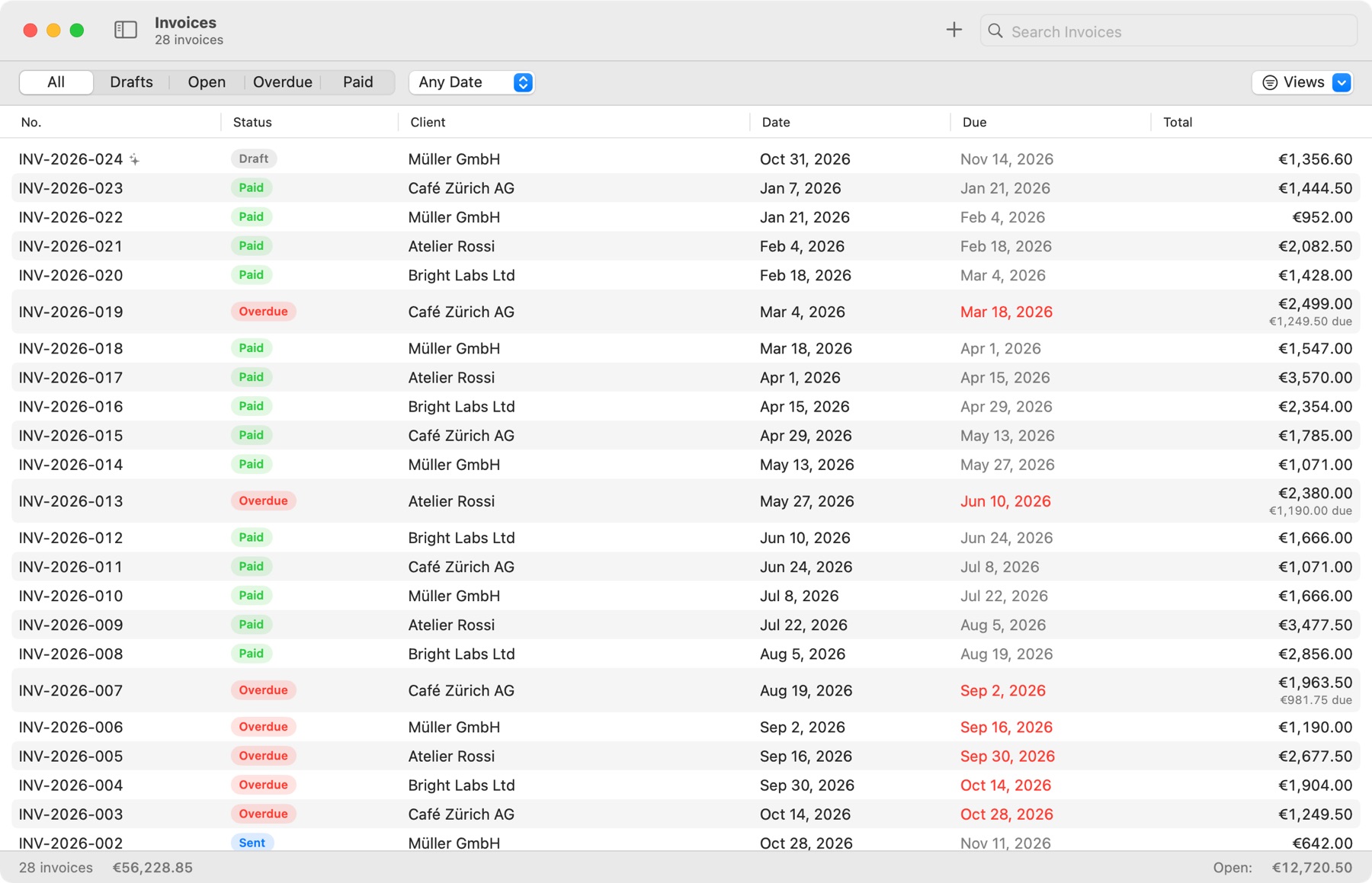
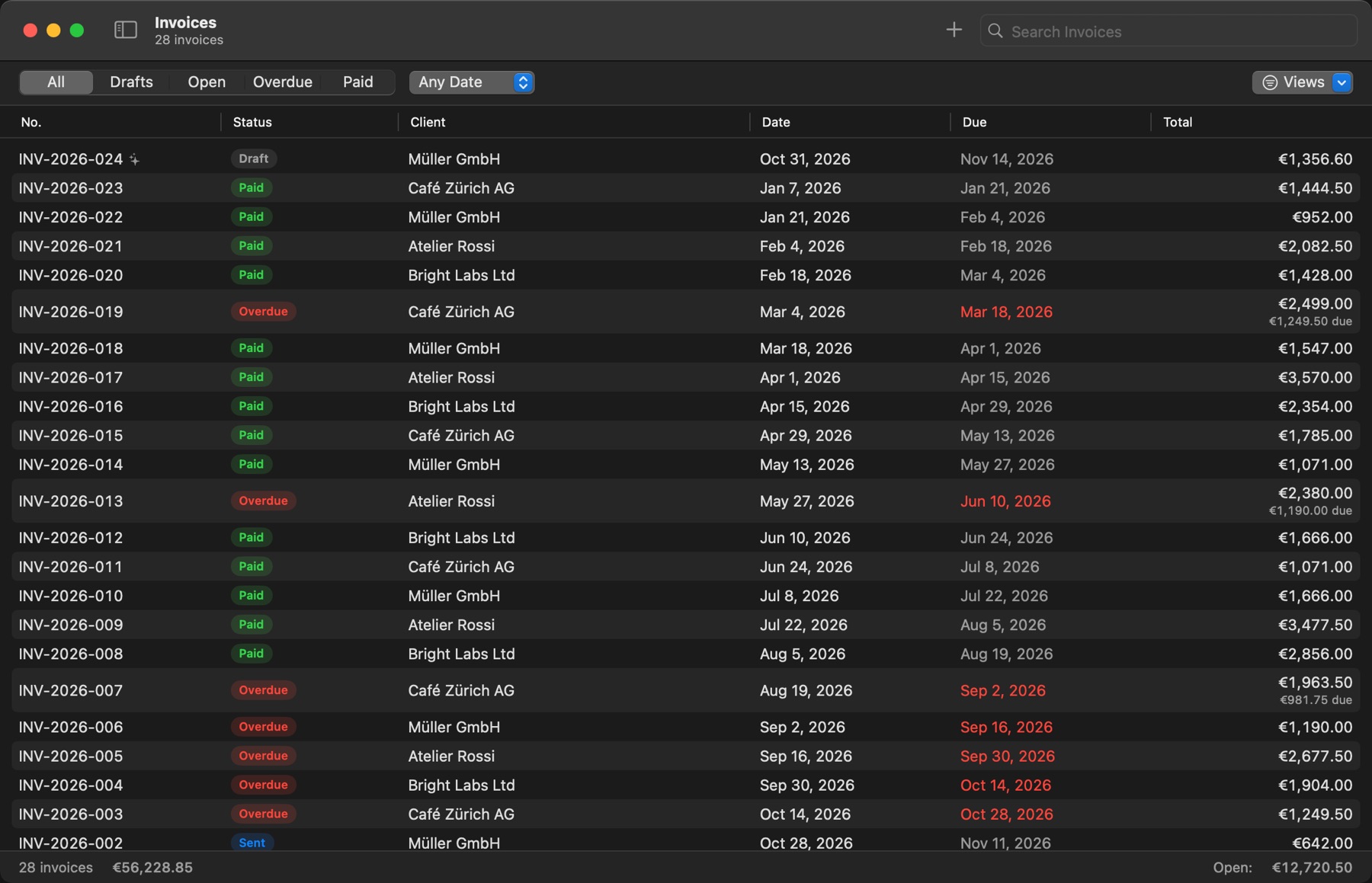
Every invoice, with its status, what's overdue and what's still open. The ones an assistant made carry a small mark, so you always know.
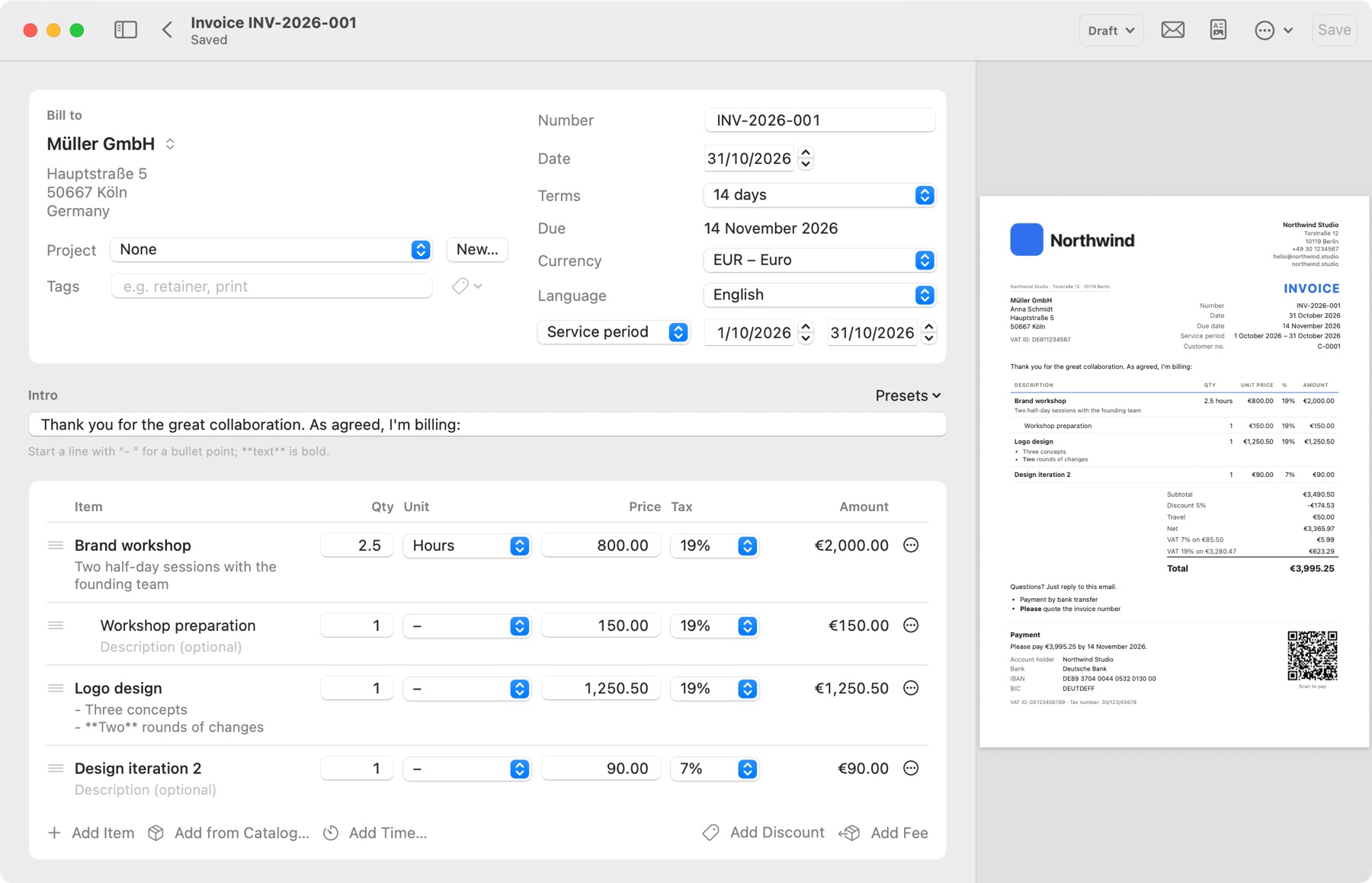
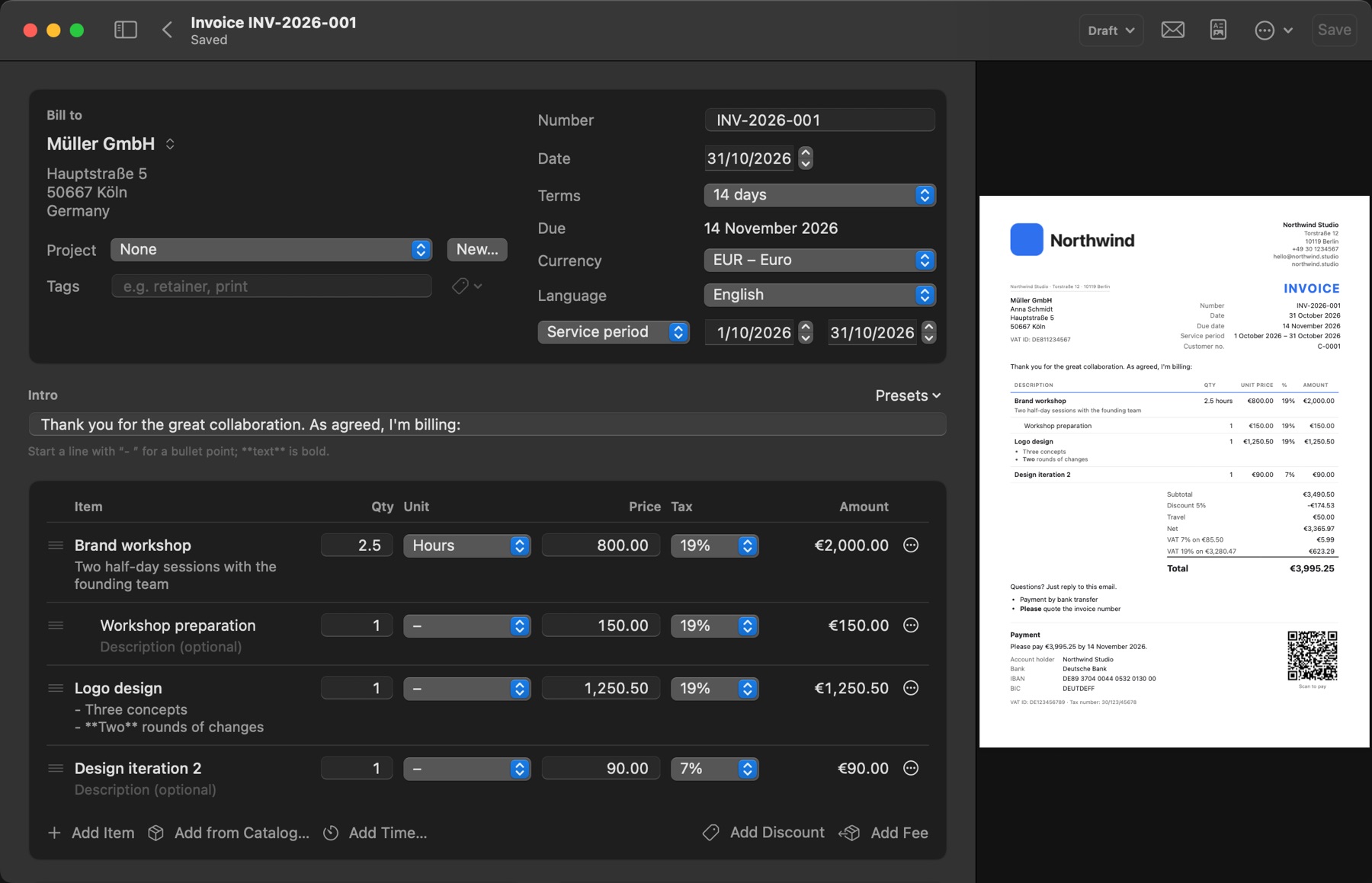
Prefer to do it yourself? The editor shows the real PDF as you type. Sub-lines, discounts, fees and several tax rates on one invoice are all there.
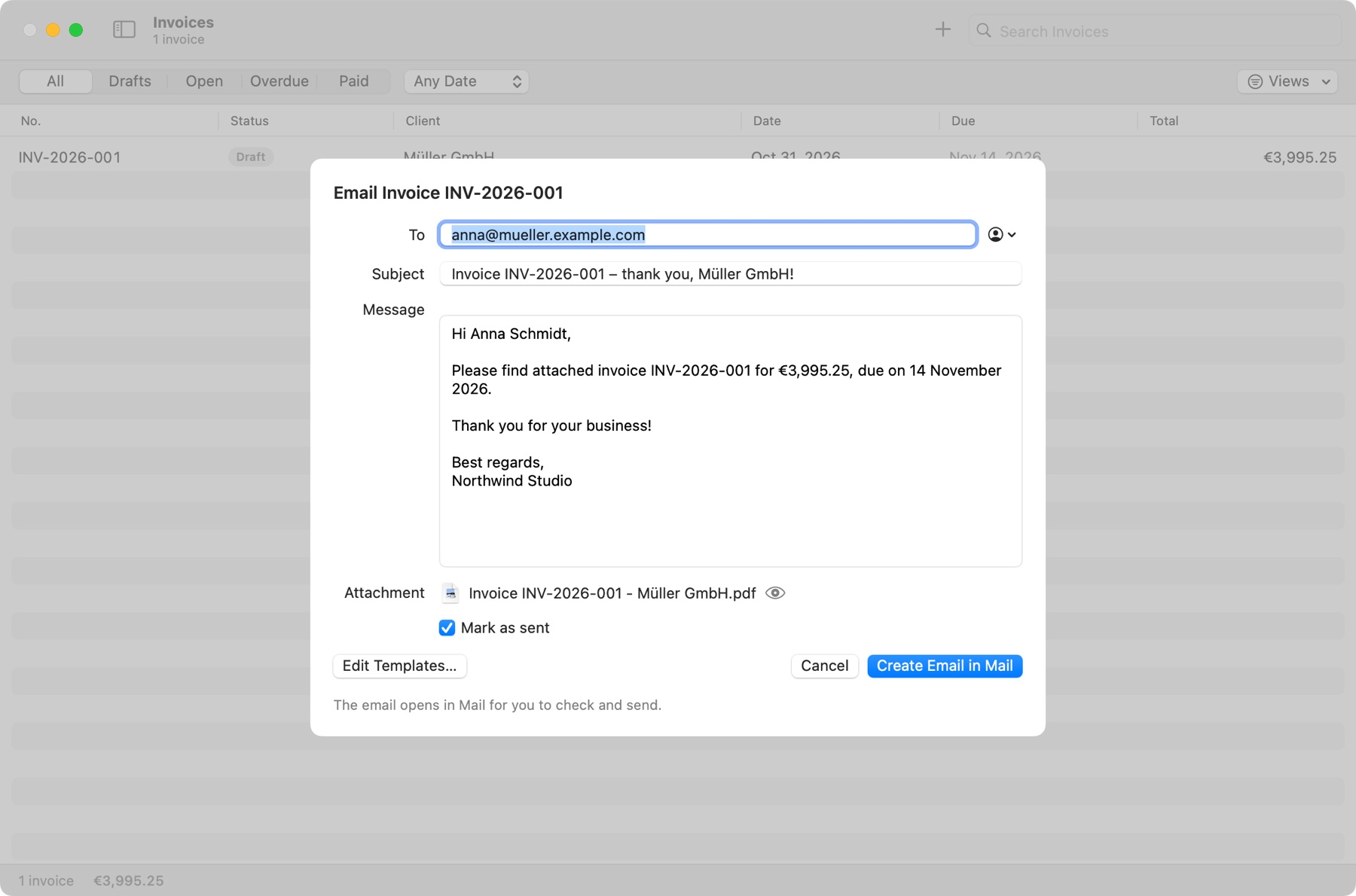
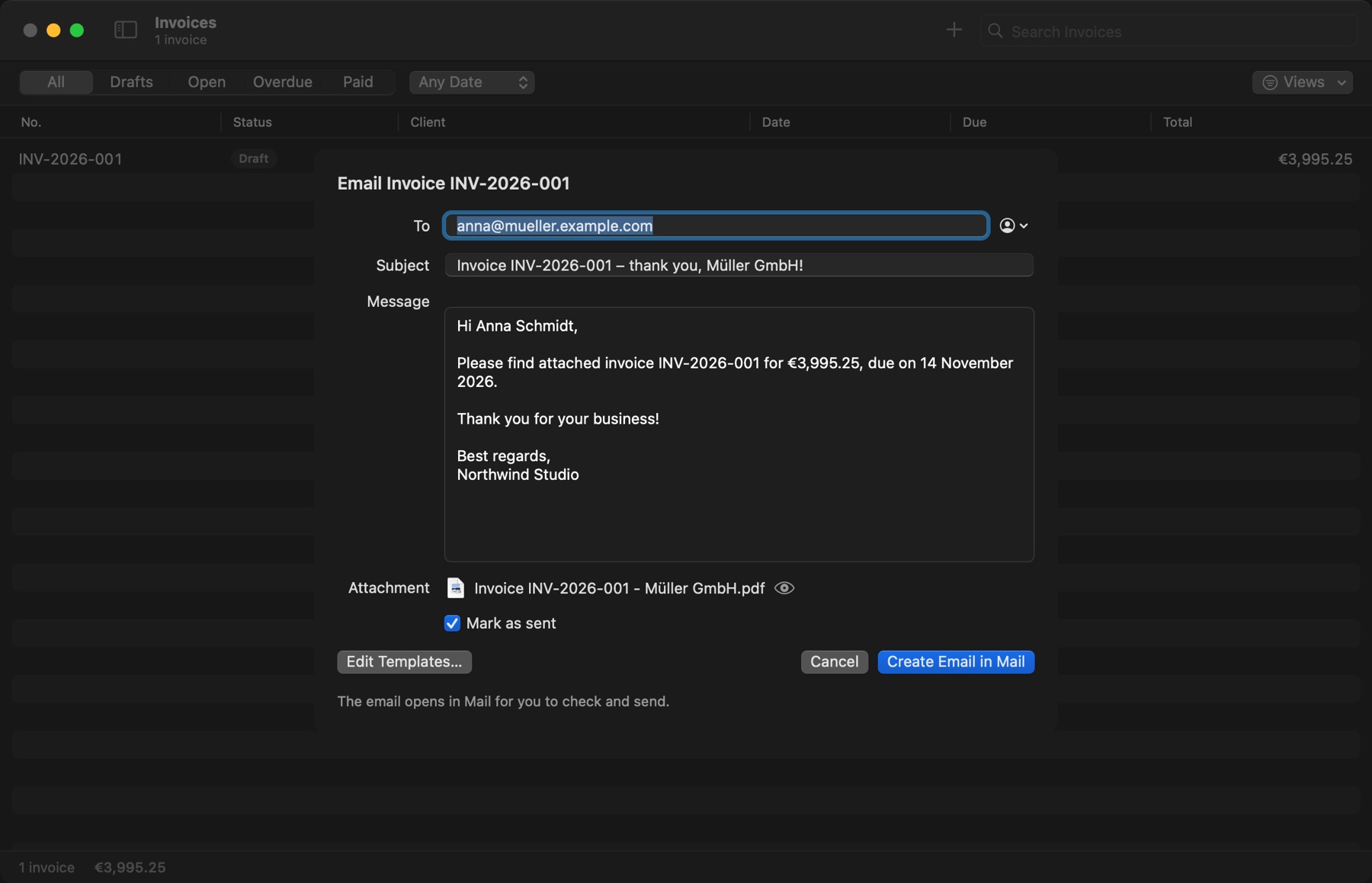
The email comes ready, with your wording and the PDF attached. You read it, then it opens in your email app to send.
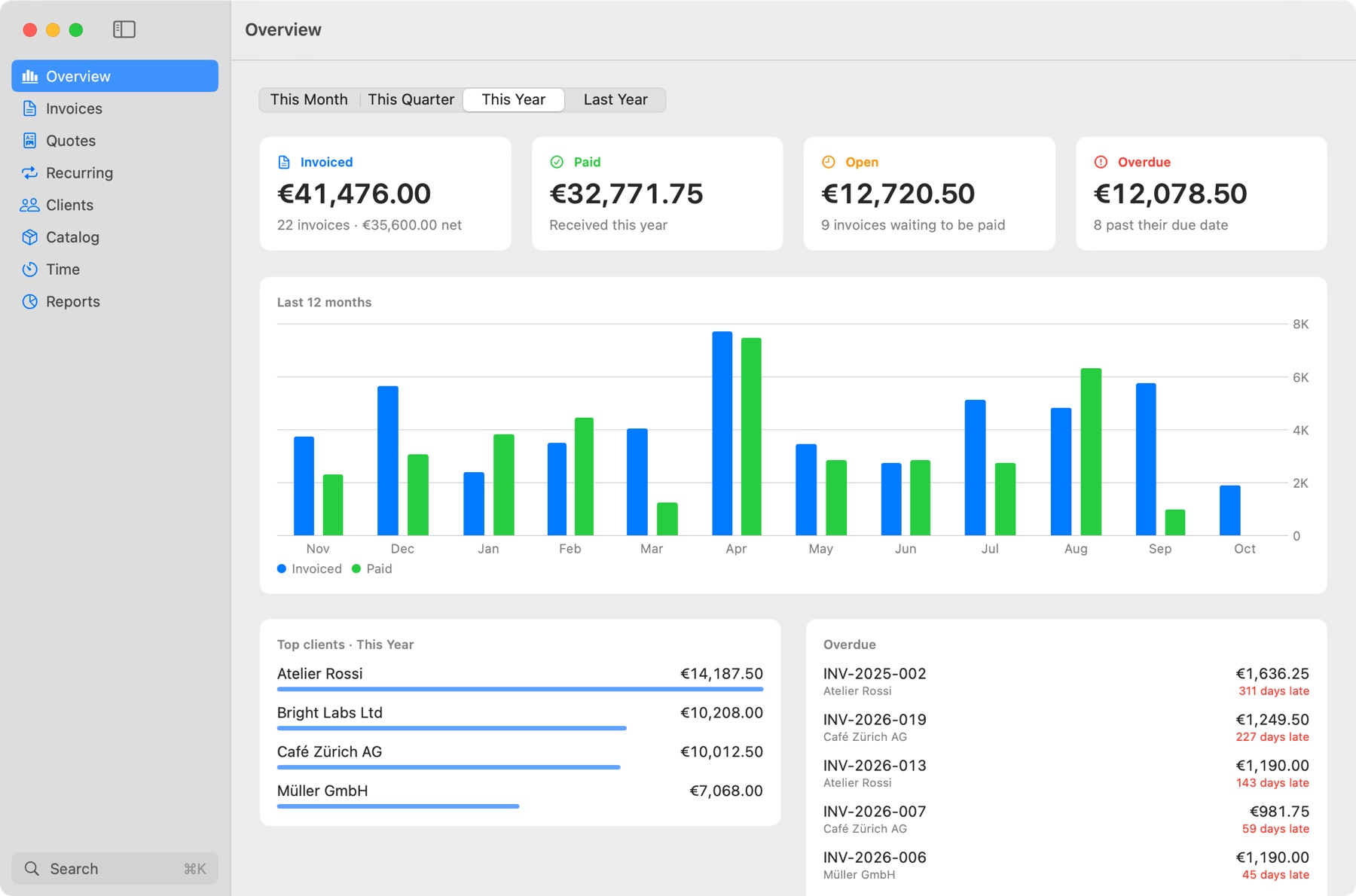
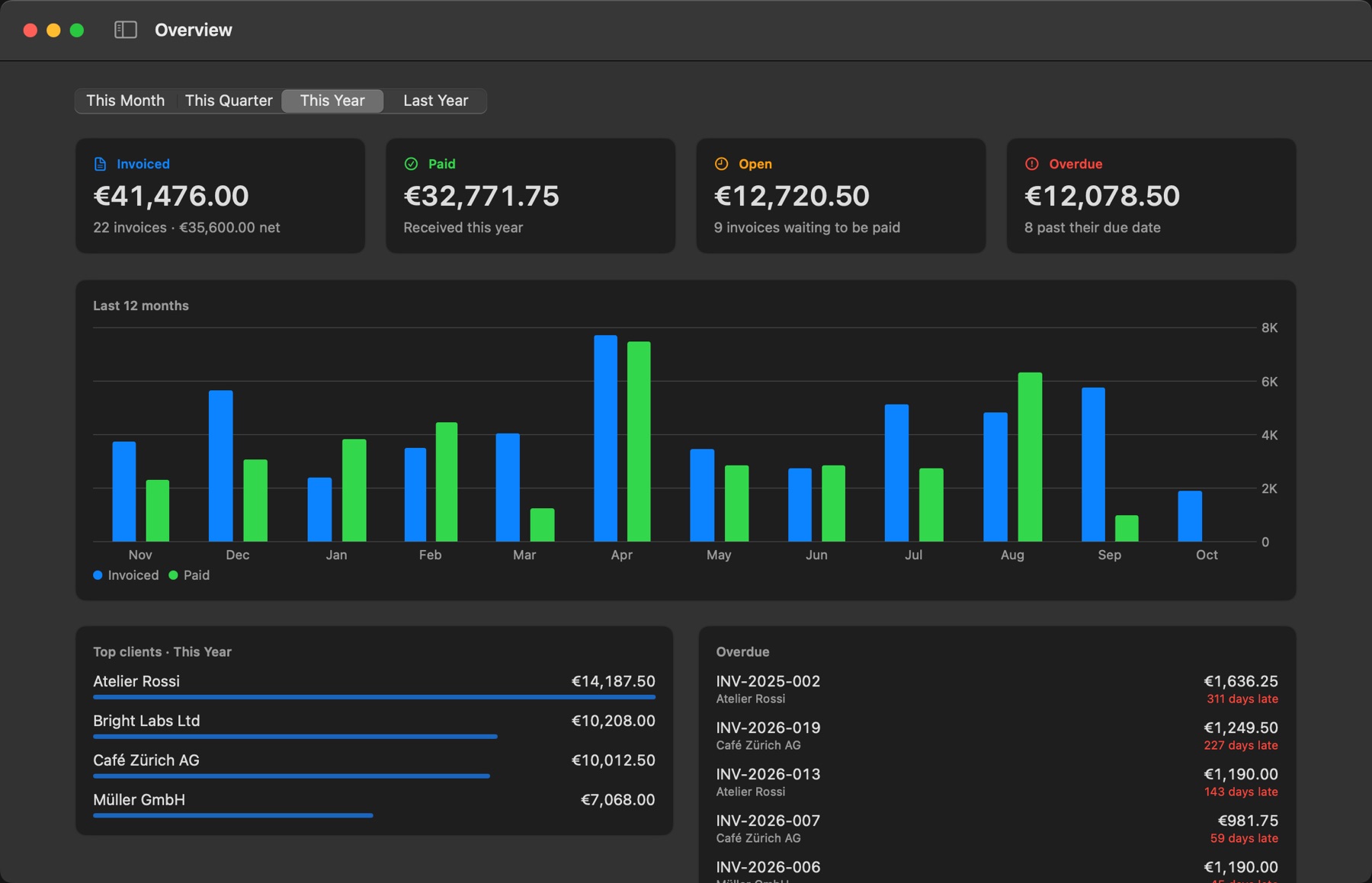
Invoiced, paid, open and overdue at a glance, with the last 12 months, your top clients and who is late.
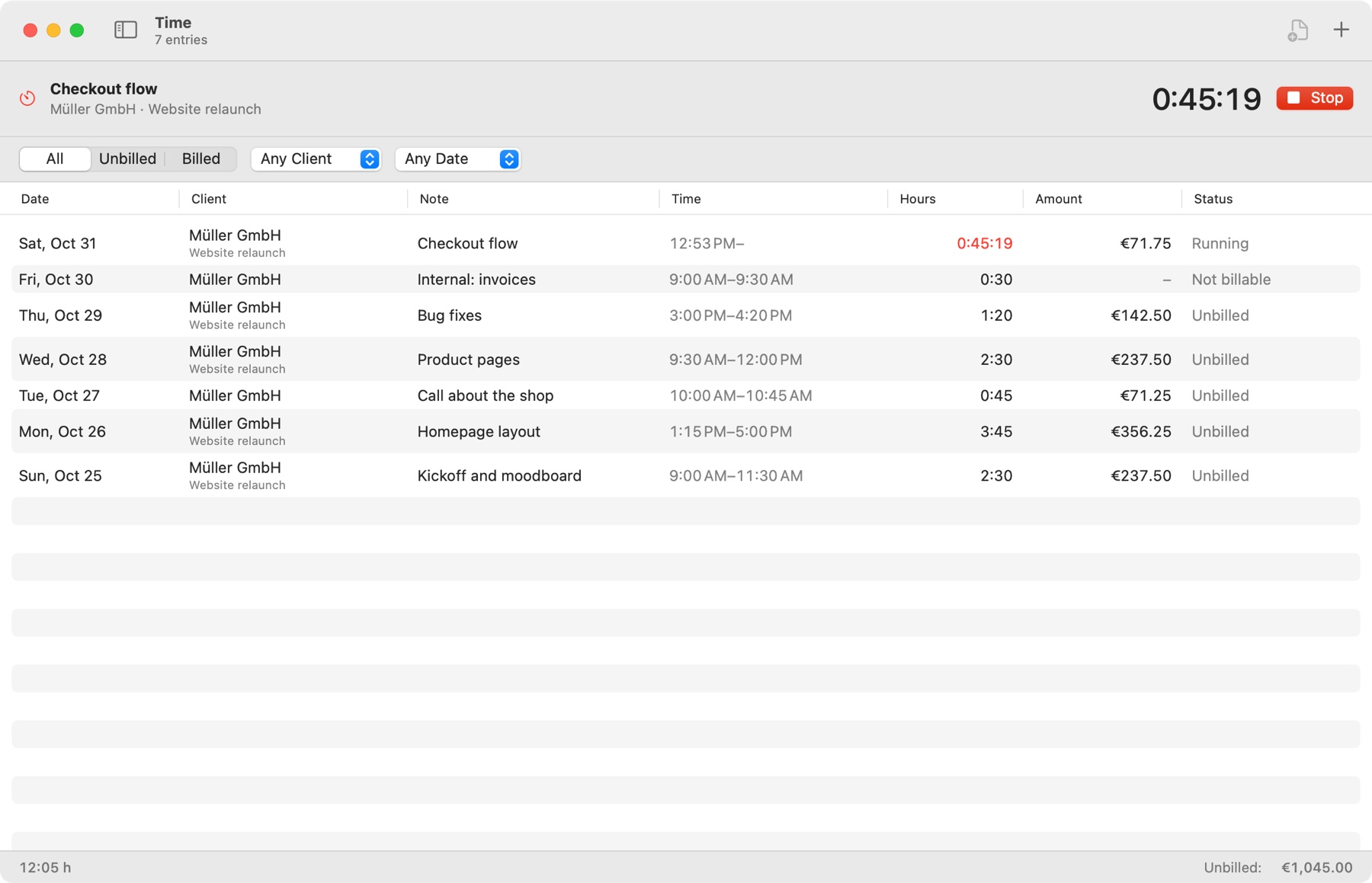
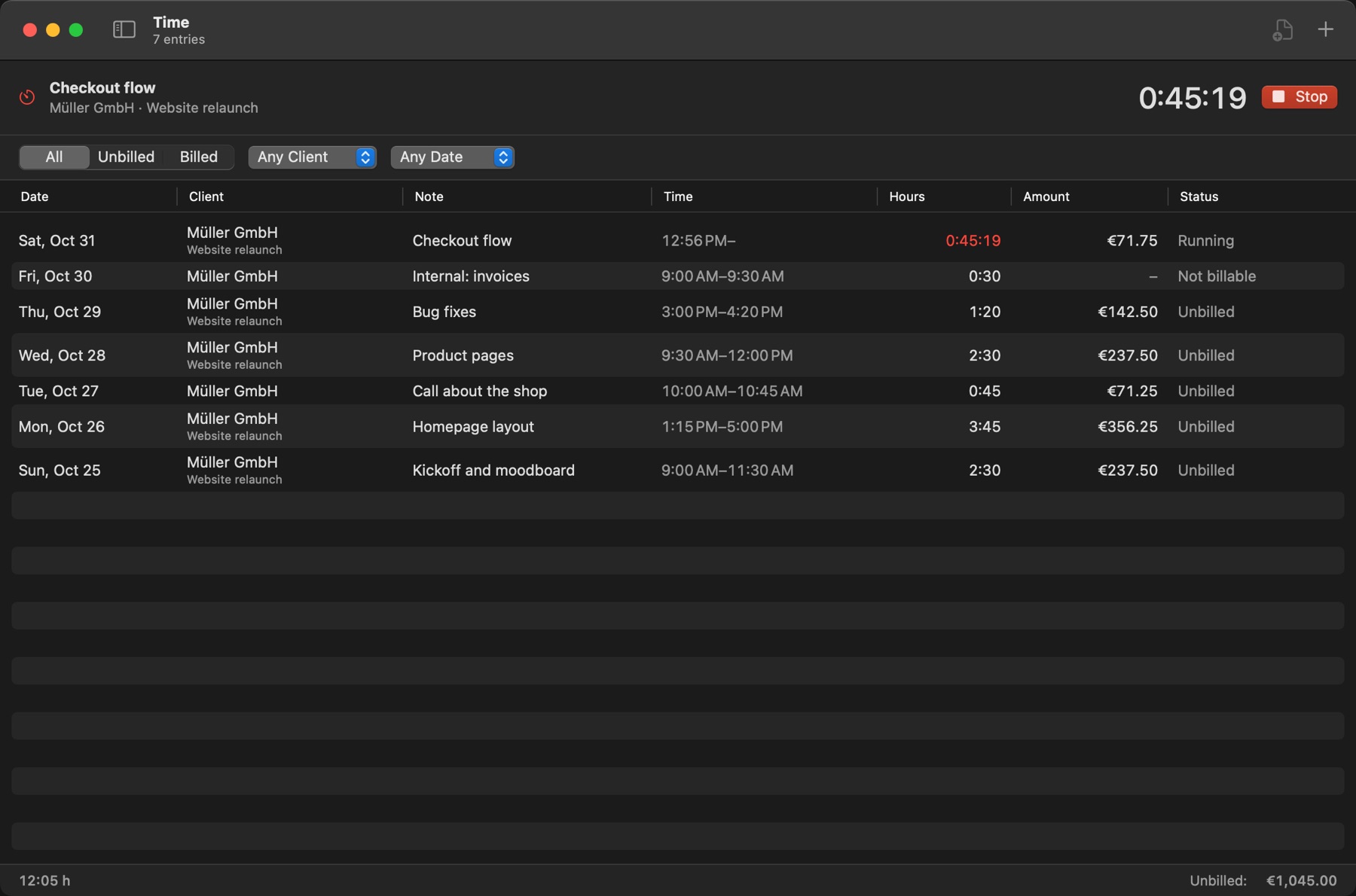
Run a timer from the app or the menu bar, then turn your hours into invoice lines. Assistants can find unbilled hours too.
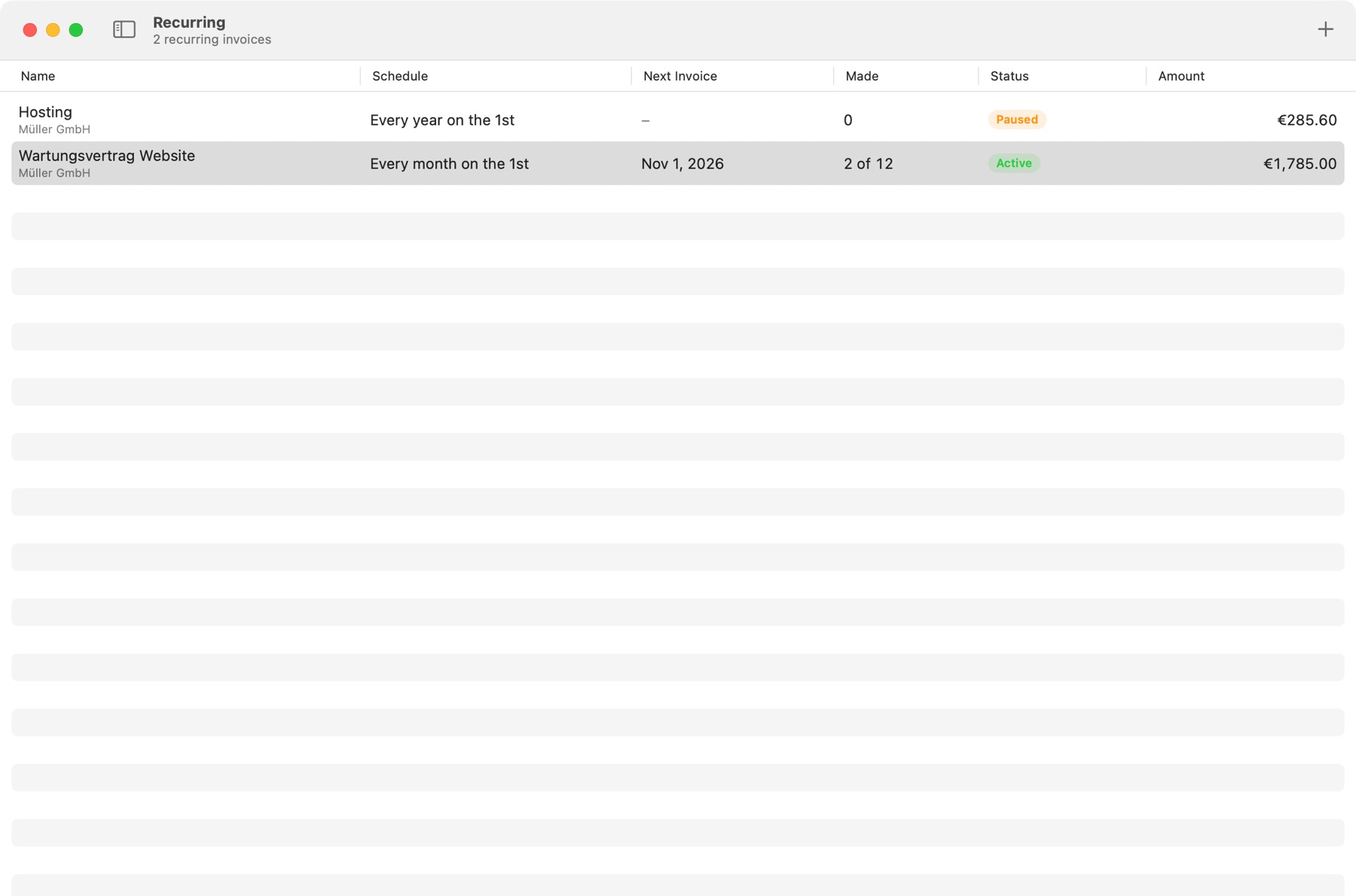
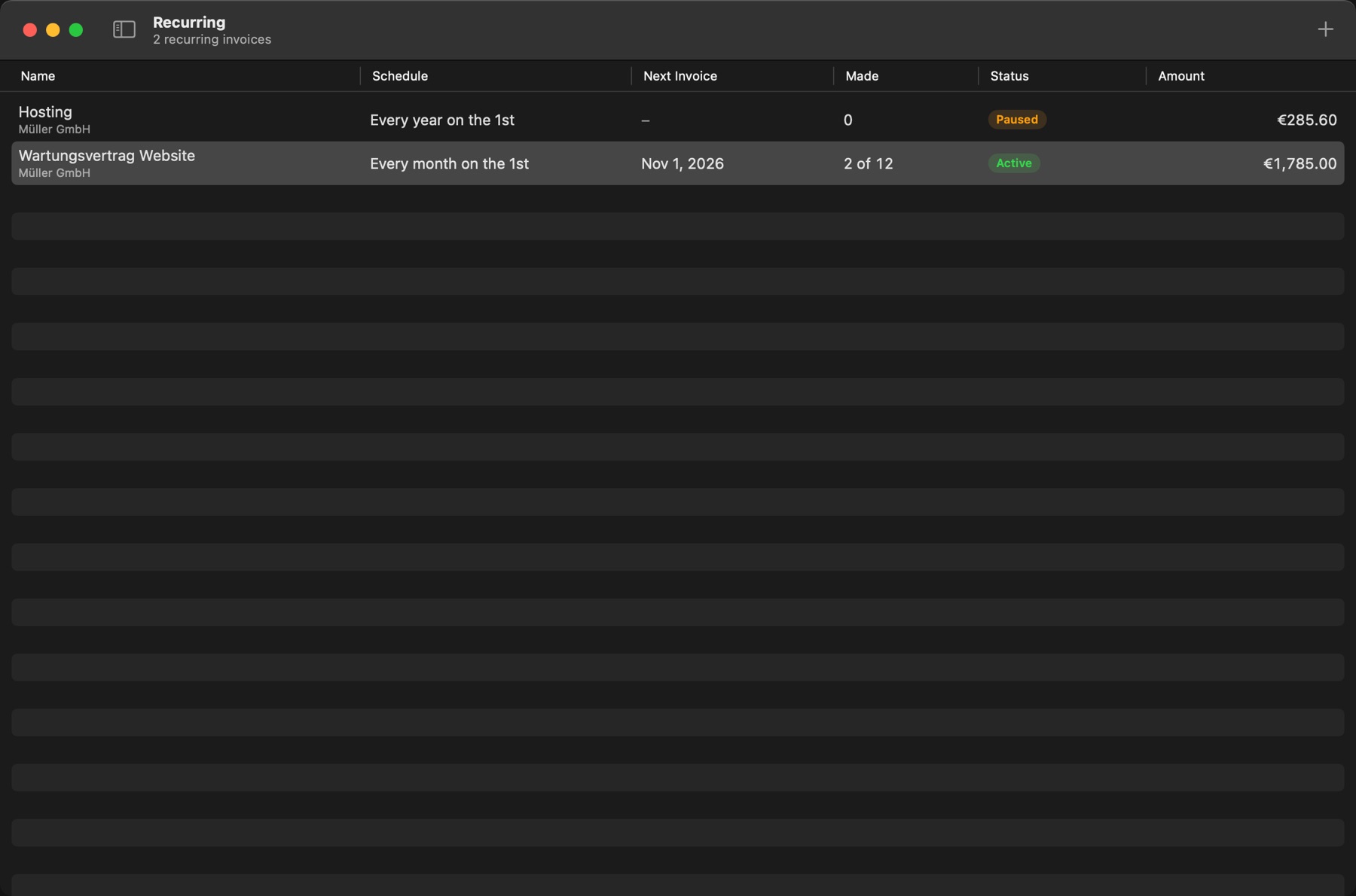
Retainers and hosting bill themselves on schedule, as drafts or marked sent. If your Mac was off, they catch up.
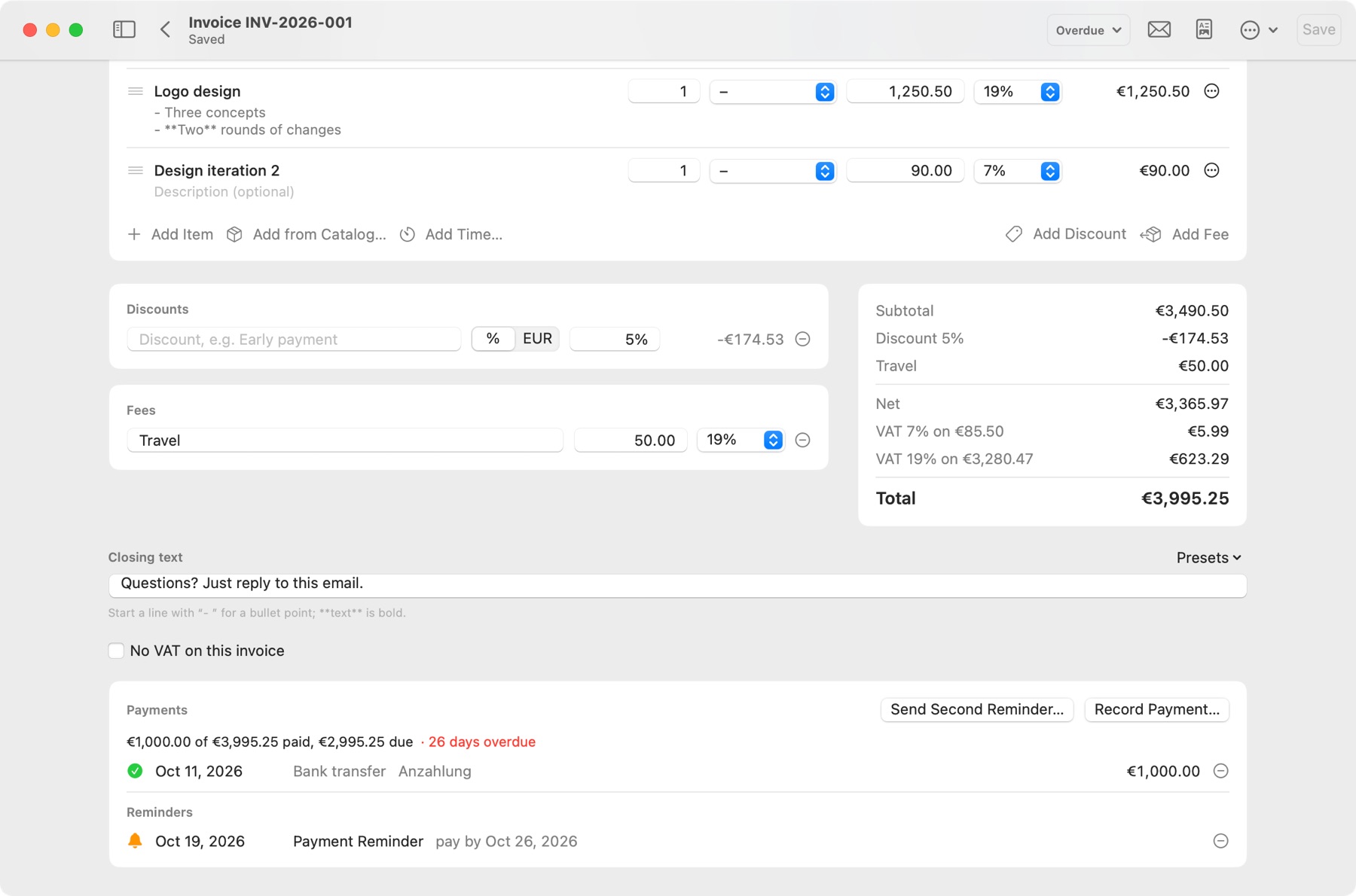
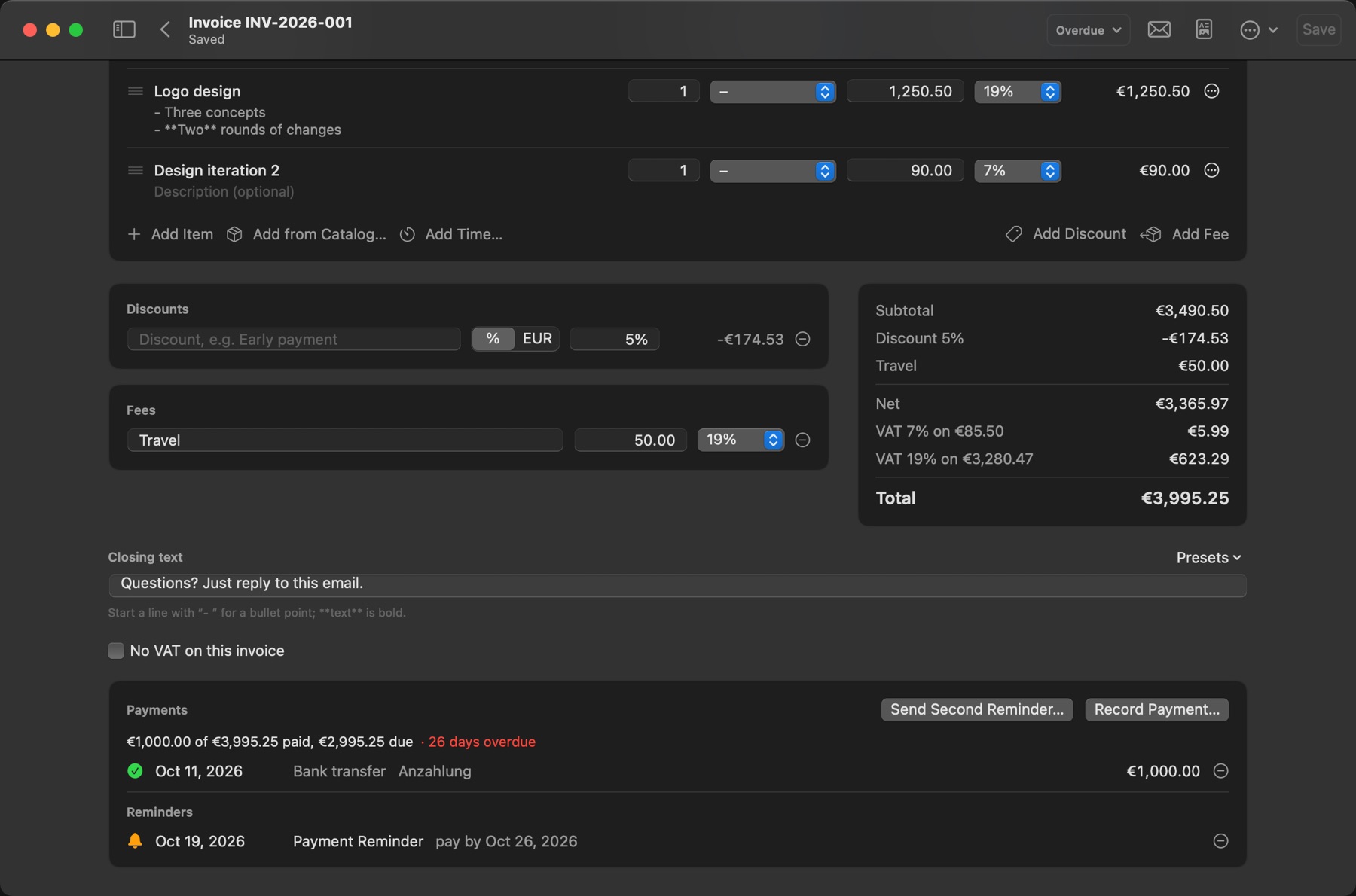
Record part payments, send up to three reminders in the client's language, and add late fees from the level you choose.
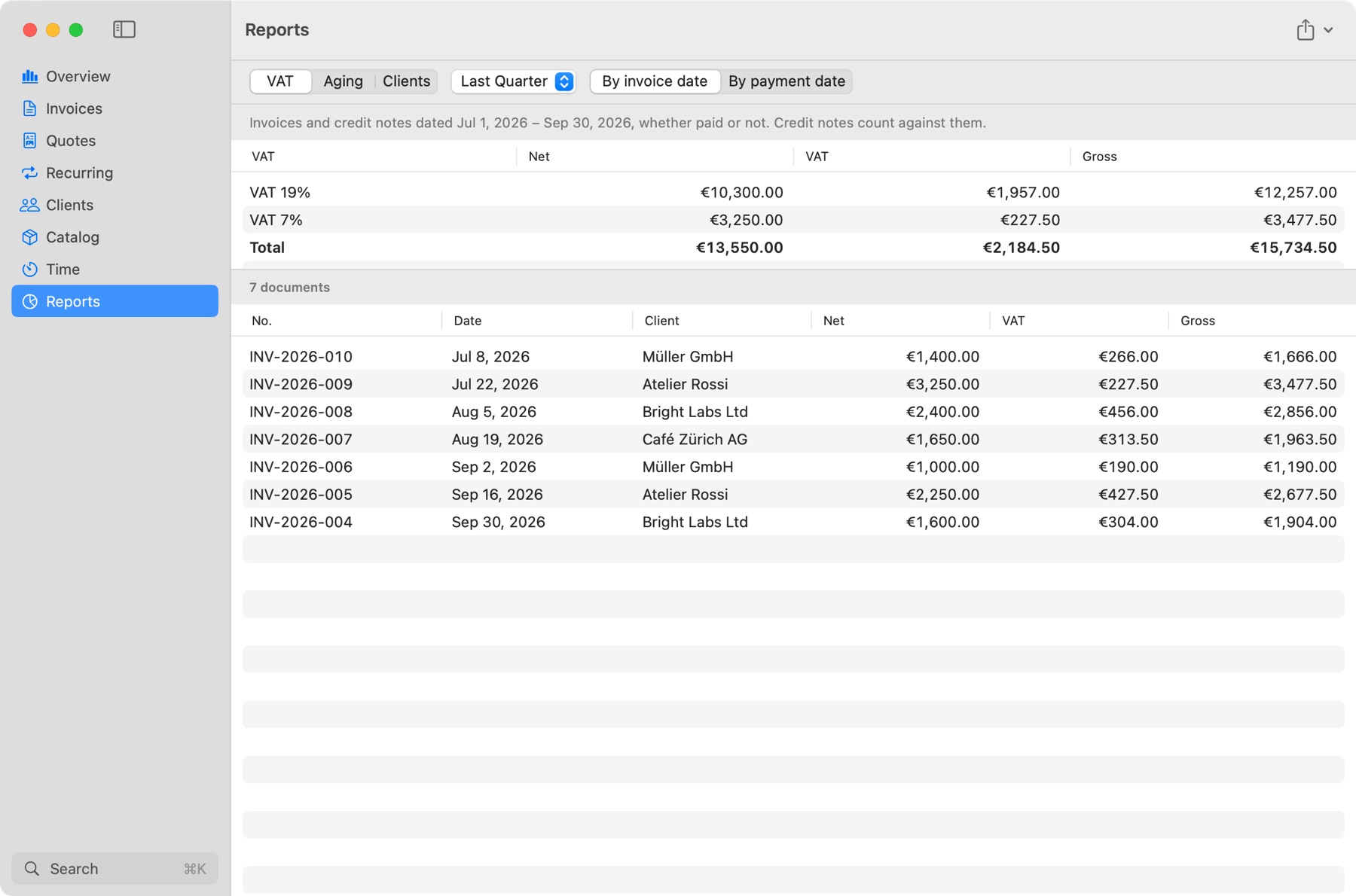
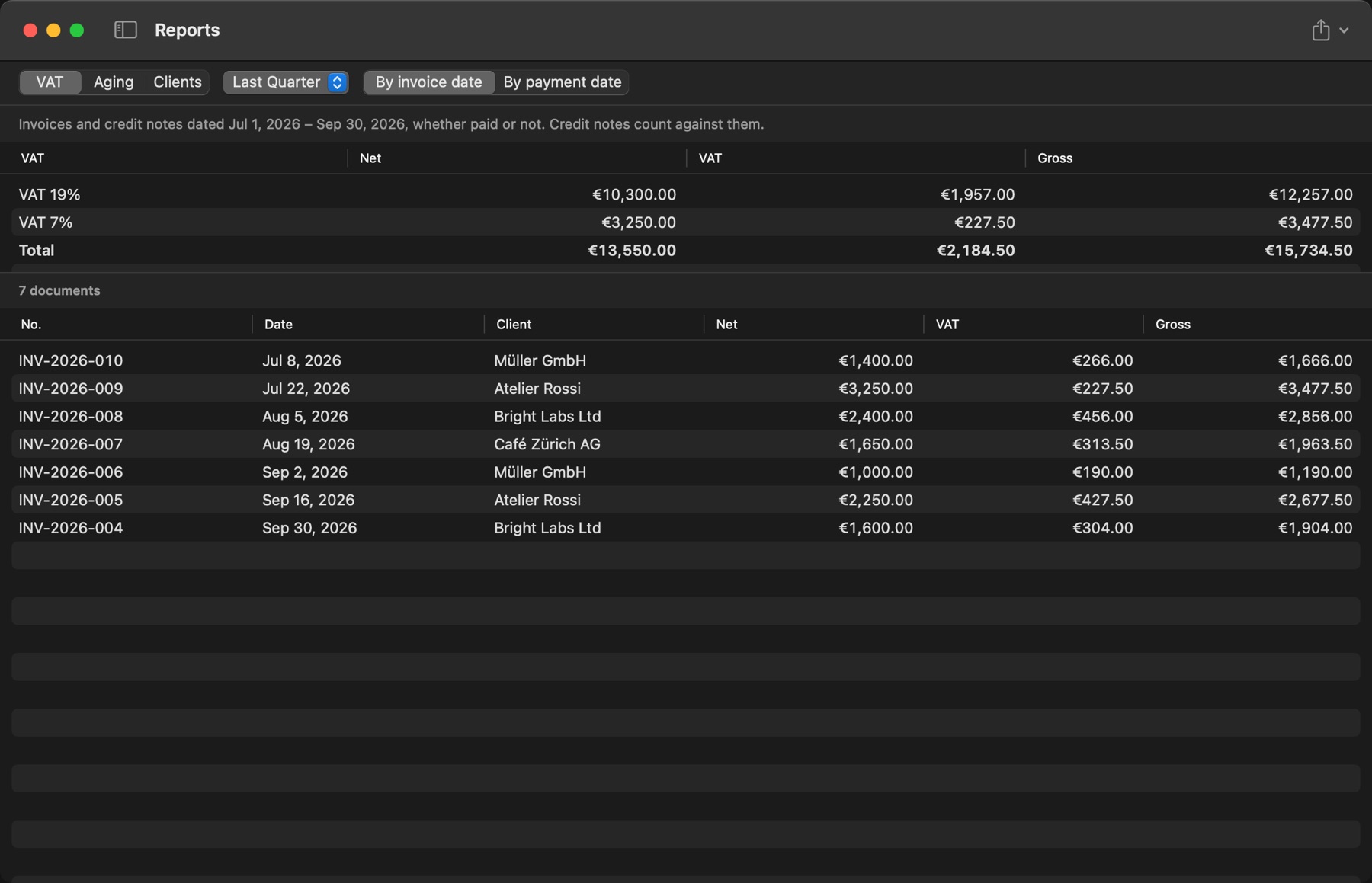
VAT by rate, by invoice date or payment date, plus aging and per-client reports. Export any of them as CSV for your accountant.
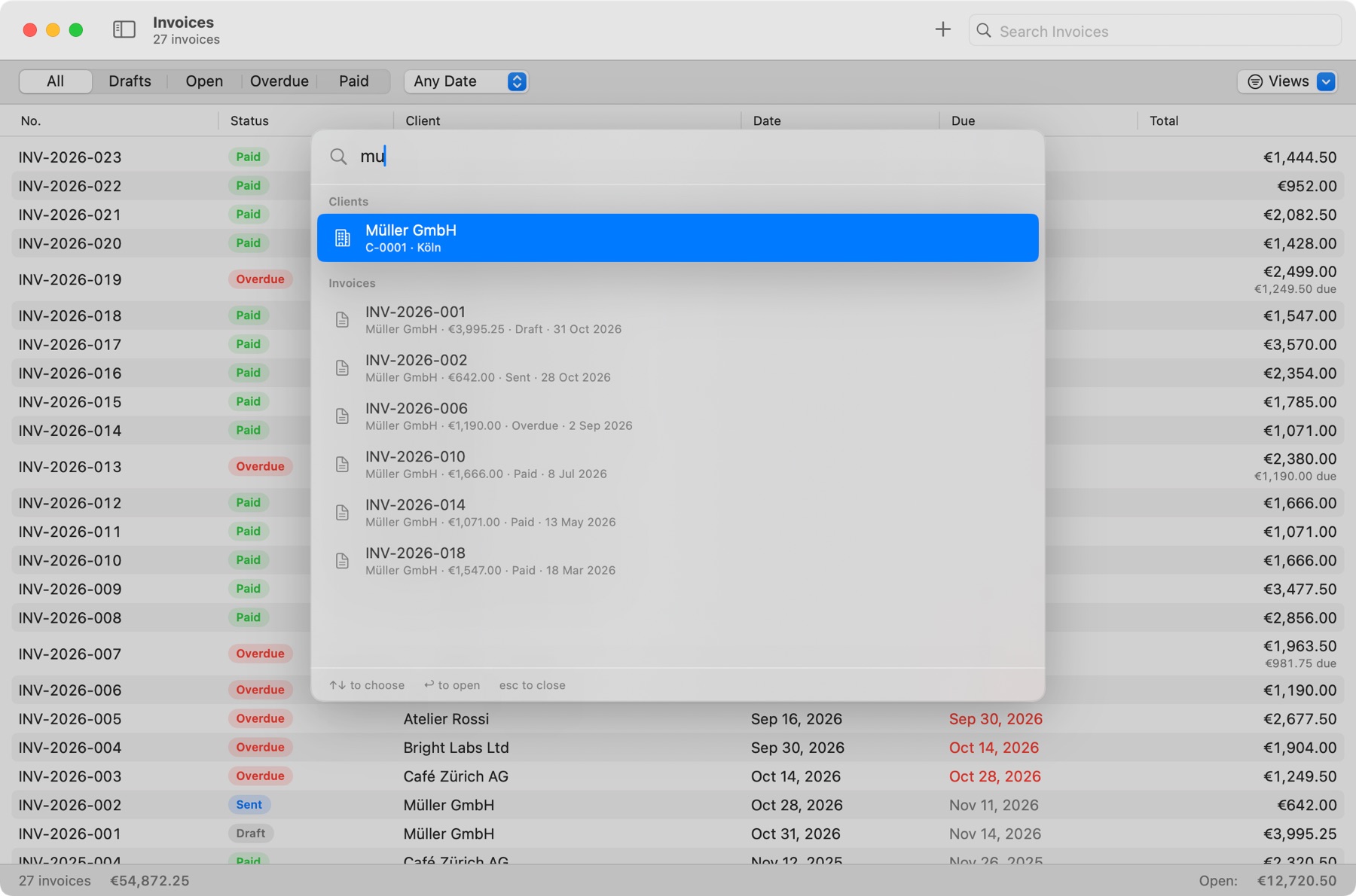
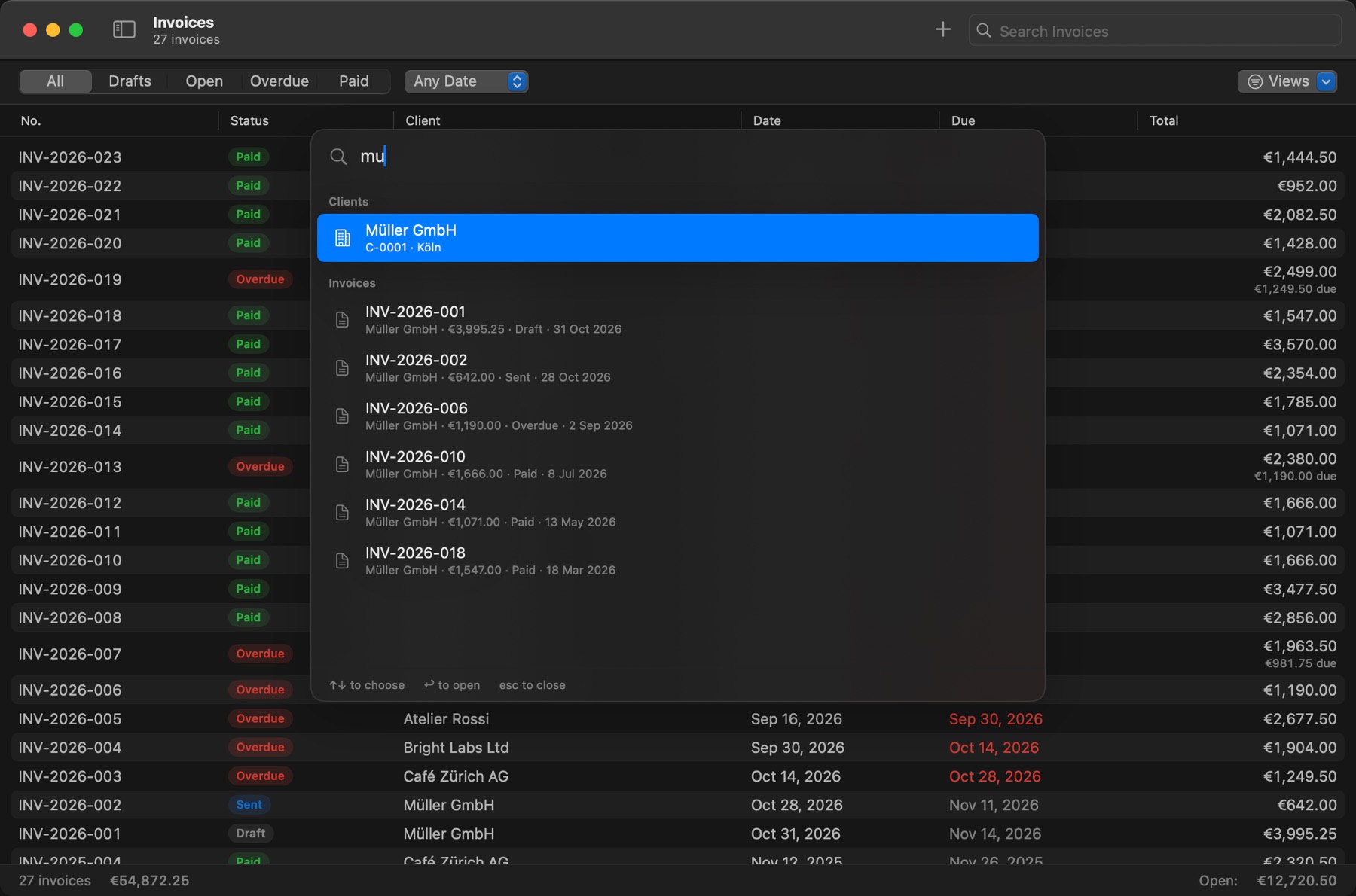
Press ⌘K and jump to any invoice, client, item or action, all from the keyboard.
Five designs.
Six languages.
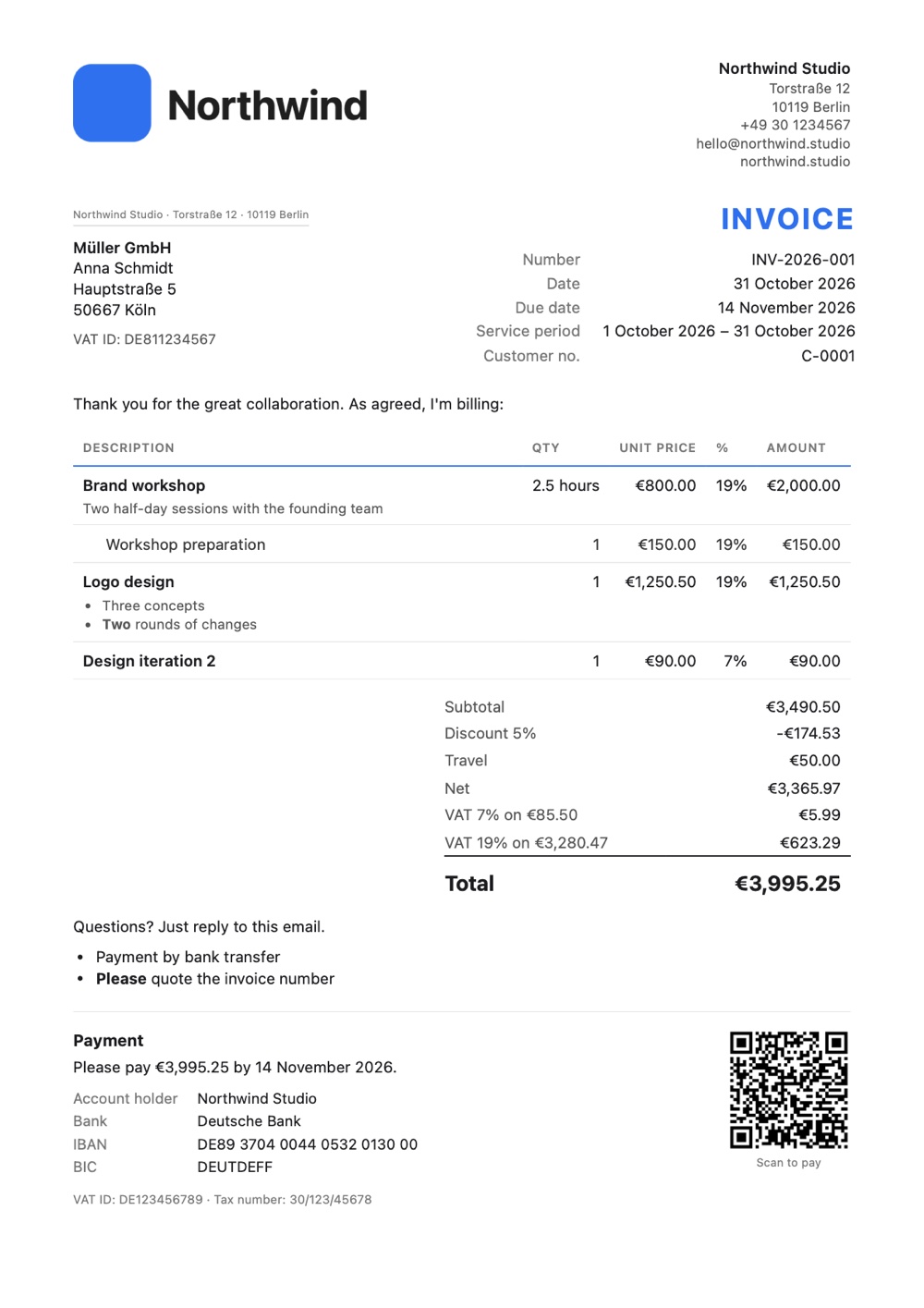
These are real PDFs from the app. Add your logo, colour and font, and each invoice comes out in the client's language.
And everything else.
Turn a quote into an invoice, or an invoice into a credit note, and they stay linked.
Invoices and emails in English, German, French, Spanish, Dutch and Italian, with the right tax labels.
Set a currency per client. Totals in your lists stay separate per currency.
SEPA codes for euros and UPI codes for rupees, so clients can pay by scanning.
Keep your Macs in step through your own iCloud. Off until you turn it on.
A backup every day to any folder you choose, and a full export whenever you want one.
Lock the app at launch, on sleep, or after a set time away.
Save your usual items and prices, and sort work with projects and tags.
Bring clients over from a CSV file. Headings are recognised and duplicates are marked.
Your wording per document type and language, with the PDF already attached.
Overdue invoices, expiring quotes and a timer left running, plus an overdue count on the Dock icon.
Quick Look with Space, drag invoices out as PDFs, and keyboard shortcuts throughout.
A real Mac app.
Not a website in a window. Invoicewell is written for the Mac and looks at home on your desktop.
- Built with
- Swift, SwiftUI
- Your data
- On your Mac, and in your own iCloud if you turn on sync
- Account
- None needed
- Tested
- 286 automated tests, and 14 of 14 real conversations with Claude passed
- Speed
- Tested with 5,000 invoices
- Needs
- macOS 14 or later, Apple silicon or Intel
How it compares.
| Invoicewell | Online invoicing services | Word or Excel | |
|---|---|---|---|
| One payment | Yes | Monthly fee | Varies |
| Invoices kept on your Mac | Yes | On their servers | Yes |
| Works offline | Yes | No | Yes |
| Numbers and totals done for you | Yes | Yes | By hand |
| Checks what an invoice must show | Yes | Varies | No |
| Reminders and late fees | Yes | Varies | By hand |
| Your AI assistant can make invoices | Yes | Varies | No |
 Invoicewell
| Description | Amount |
|---|---|
| Invoicewell for MacEvery feature, nothing held back | $19.99 |
| Monthly subscriptionThere isn't one | $0.00 |
The only invoice we'll ever send you.
$19.99
- Pay once, with no subscription
- Every feature, AI assistants included
- No account, and your data stays yours
Invoicewell isn't on sale yet. It's nearly ready.
Questions.
Do I need an AI assistant?
No. Invoicewell is a complete invoice app without one, and assistants stay off until you turn them on.
Which assistants work with it?
Claude and Cursor connect with one click, and Claude Code with one command. VS Code, Windsurf, Zed and other assistants that can run local MCP servers work by pasting a short setup.
Does my data go to the AI?
What an assistant reads goes to that assistant, under your own account with them. It never comes to us. You choose how much it can do, and you can turn it off any time.
Can an assistant send an invoice on its own?
No. It can get the email ready, but only you can send it. Invoicewell also asks you once before any new assistant gets in, and keeps a list of what each one did, with Undo for its drafts.
Are the invoices legally correct?
Invoicewell checks common EU and German rules before it calls an invoice ready. That's a helpful check, not legal advice, and you stay responsible for what you send.
Does it make e-invoices (XRechnung, ZUGFeRD)?
Not yet. Today Invoicewell makes PDF invoices, so if you have to send e-invoices, it isn't the right tool for those.
What language is the app in?
The app itself is in English. The invoices, quotes, reminders and emails it makes can be in six languages.
Can I use it on more than one Mac?
Your data can sync between your Macs through your own iCloud. Turn it on in Settings when you want it.
Does it work offline?
Yes. Making invoices, saving PDFs and tracking time all work offline. Sending email and using an AI assistant need the internet, as they always do.
Can I take my data with me?
Yes. Export everything as one file at any time, save any invoice as a PDF, and export reports as CSV.